

How to set up your donation page
Setting up your streamer page in Donatty: avatar, cover, URL and more
In Donatty every streamer can personalise their donation page. It matters that everything on it lets a viewer tell at a glance whose page it is. That way viewers can be confident their donations reach the right person.
How to edit your streamer page
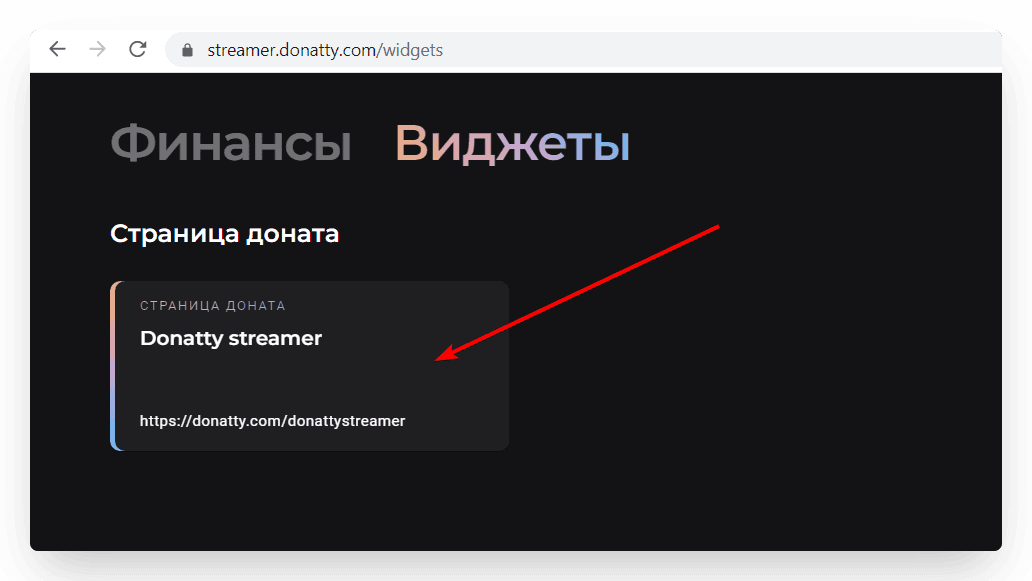
The streamer page appears as a card in the Widgets section. To edit it, go to the Widgets section from the main menu and click the Donation page card.
Personalising your streamer page
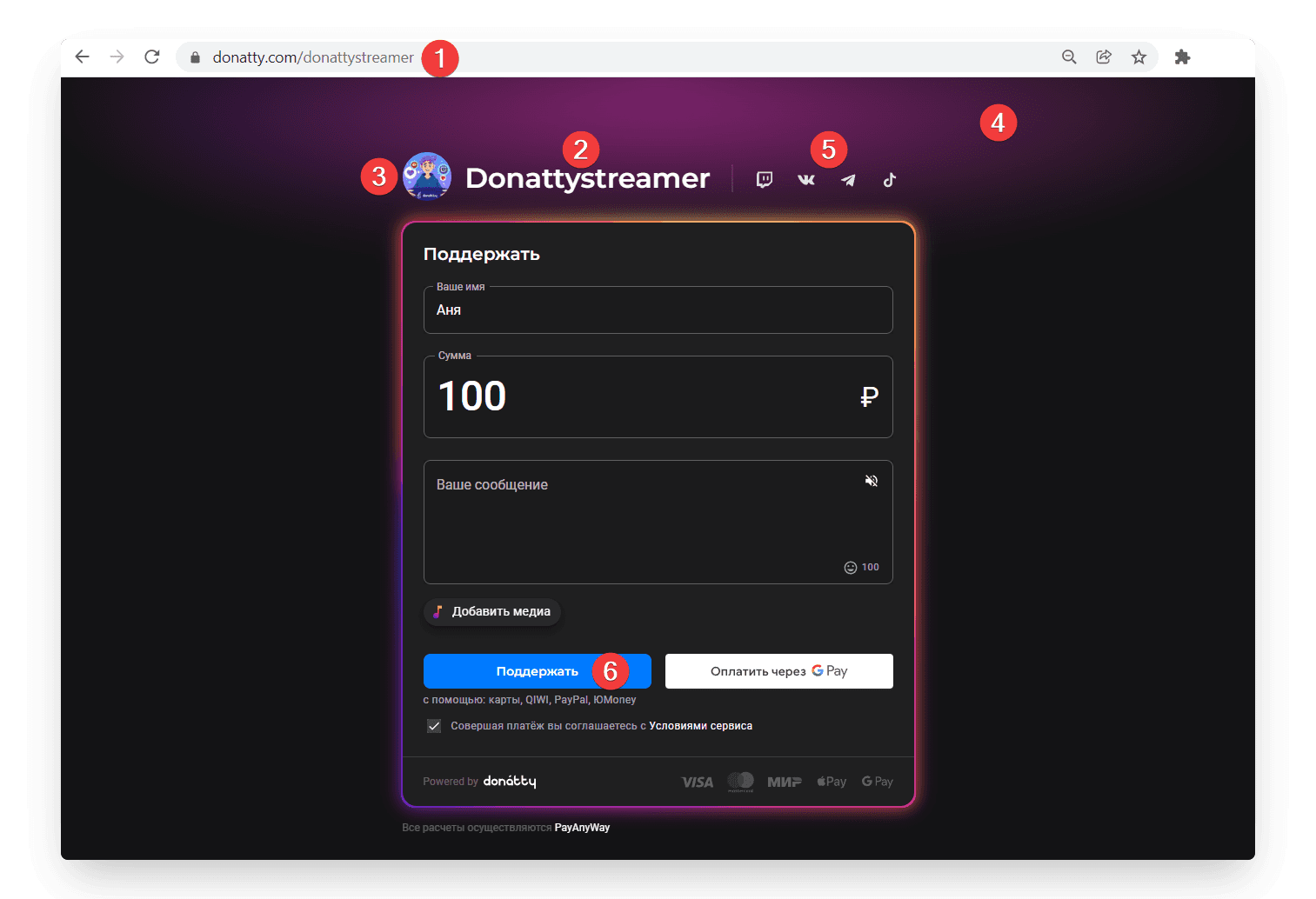
Here is what you can change on your streamer page:
the page URL
the page title (large heading) — (1)
the page description (small heading) — (2)
the avatar (also used as the logo) — (3)
the cover (the page header background) — (4)
links to social networks — (5)
the text on the donate button — (6)
the text on the thank-you page
Important: if you change the URL in your Donatty settings, remember to update the donation page links on your stream and in your channel description. The donation page will no longer be available at the old address.
Other streamer page settings
Personalisation is not all you can configure. The donation page settings also let you control how the page behaves.
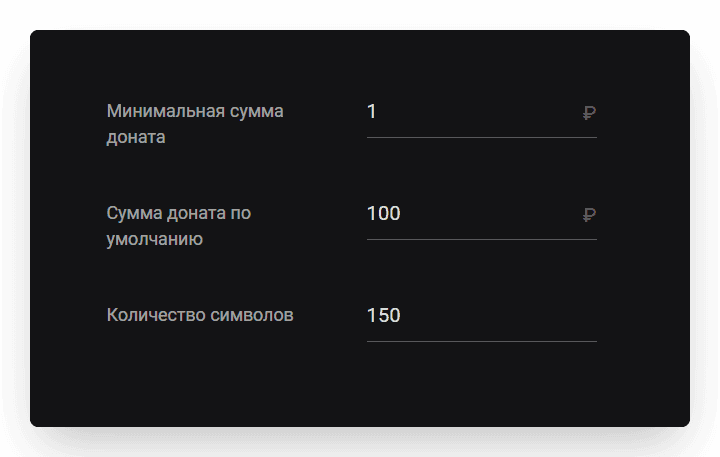
Minimum donation amount
This is 1 rouble by default, but many streamers will want to change it. Early on every rouble counts, while popular streamers may set it considerably higher.
Important: a minimum donation amount means a viewer technically cannot send less than the amount you set. If you still want viewers to be able to send smaller amounts, we recommend using the donation alert settings instead. Donations that do not meet the conditions set there simply will not be shown on stream.
Message length for donations
This is 150 characters by default. If you want longer messages from donors, you can raise it to whatever suits you.
Important: keep the maximum message length in mind when configuring your donation alert. Long messages do not always look good on screen.
Additional donation methods
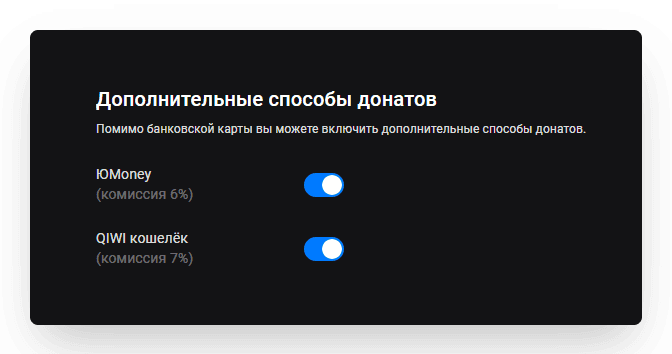
By default your viewers can donate using their bank card. Cards are very widely used in Russia, and donating with one is convenient and familiar. For a number of reasons, though, your viewers may want to use alternative donation methods: an SBP QR code or a PayPal wallet. You can give them that option.
Important: the fee on the additional donation methods is higher than for card donations. Bear that in mind and turn these methods on only when you need them.
Setting up your streamer page in Donatty: writing the text of the welcome block
Using ready-made Twitch panels from Donatty to brand your channel
