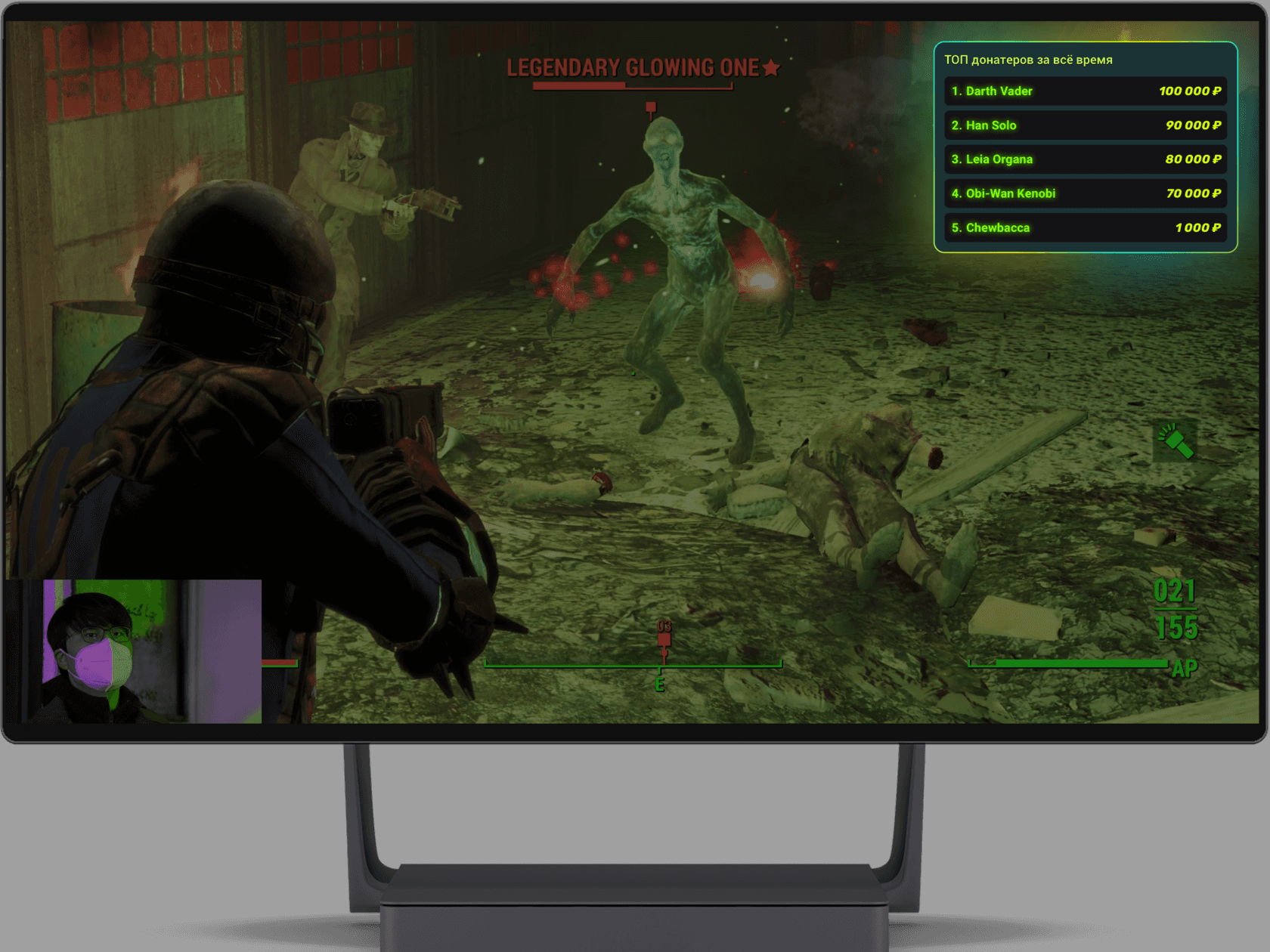
TIPPER LEADERBOARD WIDGET

Tipper leaderboard on stream: ranked by total or by single tip

Tipper leaderboard on stream: ranked by total or by single tip

Desktop

Why a streamer needs a leaderboard widget

Why a streamer needs a leaderboard widget

It inspires people to keep tipping

Every viewer likes knowing their tip will not be forgotten. And if it puts them on the leaderboard, it is twice as satisfying to keep tipping and stay on the list.

It creates a sense of competition

Making the leaderboard is one thing — sometimes being the best is what counts. A viewer enjoys being the one who helped the streamer most this month, or contributed most towards new gear. And sometimes viewers simply like to win.

It closes the ranks of the audience

The most active members of the community get to know each other when they see other names in the leaderboard. That makes the community stronger: they are no longer alone in supporting the channel. Now they have someone to lean on.

What’s the catch

What’s the catch

The tipper list as a ticker

The tipper list as a ticker

The tipper list as a ticker

The leaderboard can be shown not only as a list but as a scrolling ticker — you choose how the heading looks and how fast the line moves.

Data for the current week or the last 7 days

Data for the current week or the last 7 days

The widget can collect tip data by calendar weeks and months, or relatively — over the last 7, 30 or 90 days.

Data for the current week or the last 7 days
Plenty of settings

Plenty of settings

Plenty of settings

The tipper leaderboard widget is highly customizable: you can control the position of the elements, their colors, transparency, shadows, outline and many other properties.

How to put the leaderboard widget on your stream

How to put the leaderboard widget on your stream

Desktop

Sign up for Donatty from your computer

Sign up for Donatty from your computer

Go to Widgets – Notifications and copy the widget link

Go to Widgets – Notifications and copy the widget link

Paste the link into OBS via Menu – Source – Browser


Paste the link into OBS via Menu – Source – Browser

Sign up and start receiving tips

Sign up and start receiving tips

Sign up and start receiving tips

Customize your tipping page, show tip alerts on your stream, and withdraw money to your bank card instantly.

Customize your tipping page, show tip alerts on your stream, and withdraw money to your bank card instantly.

Login Screenshot

Create a free website with Framer, the website builder loved by startups, designers and agencies.