

How to set up donation moderation
Pre-moderation keeps donations from going straight to the alert on stream, sending them through a review step first.
Pre-moderation keeps donations from going straight to the alert on stream, sending them through a review step first. This lets you filter out profanity, banned words and messages that break platform rules. Donatty also offers AI donation moderation with two review modes: profanity checking and platform-rules compliance.
How to turn on donation moderation
Sign in to Donatty and go to the Finance page. Find the moderation section. Look at the activity block on the left — there is a hammer icon in its header; click it.

Turn on the review timer
Our service lets you set a timer for reviewing a donation. While the timer runs, the message waits for a decision: you can approve it by hand, let the chosen automatic action take over, or reject it.
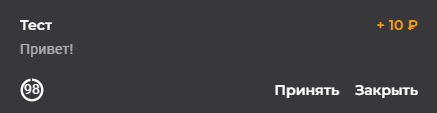
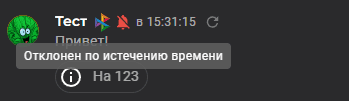
Choose what happens when the timer runs out
When the timer expires you can set one of two outcomes: the donation is shown on stream automatically, or it is rejected.
If you want to automate the review, turn on AI moderation. There are two modes: profanity checking and platform-rules compliance.

How it works during a stream
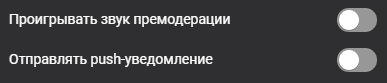
With moderation on, the decision to show a donation is made through a dedicated notification in the operations list. The service can also send a browser push and play a separate sound so you do not miss a donation awaiting a decision.
Tip: you can control playback from your phone, from your computer or through the dock panel in OBS.
A recommended setup
For calm streams with occasional donations, manual pre-moderation works well: turn on the timer and set it to show the donation automatically when it expires, in case you did not get to the message in time. That way you do not lose ordinary donations but still have a chance to catch the questionable ones. For busy broadcasts, AI moderation is the better option. If profanity and insults are your main worry, use the profanity checking mode. If compliance with Twitch's or another platform's rules matters more, use the platform-rules mode.
Showing the donation list in OBS or opening it on your phone or tablet
Setting up widget and notification links in other popular live streaming apps
