

How to install Donatty widgets in Streamlabs OBS, XSplit Broadcaster and Twitch Studio
Setting up widget and notification links in other popular live streaming apps
Every streamer settles on the streaming software that suits them best. While the overwhelming majority prefer OBS (Open Broadcaster Software), some streamers use apps such as Streamlabs OBS, XSplit Broadcaster and Twitch Studio. Donatty works with all of them. We will use the fundraising widget as an example of how to add Donatty widgets. We hope that by the time you add the links you have already read our guides on setting up alerts and widgets.
Copying the widget link
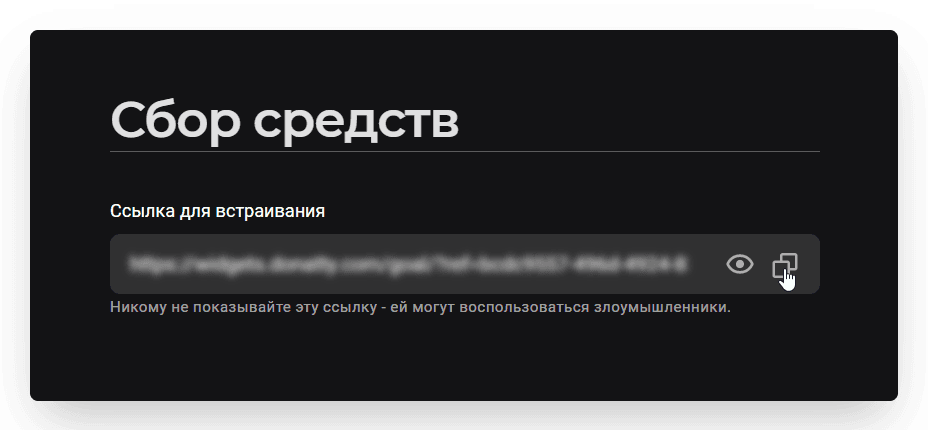
Go to the streamer dashboard and open the Widgets tab. You will find the widget link at the top of the settings page. To copy it, just click the button to the right of the link field.
Adding Donatty widgets in Streamlabs OBS
This app's interface is very similar to Open Broadcaster Software. Go to Streamlabs OBS, click + in the Sources panel and choose Browser. Enter a name, for example “Fundraising widget”, and click Add Source. In the dialog that appears, paste the link you copied earlier into the URL field and click Done. Position the widget in the broadcast window.
Adding Donatty widgets in XSplit Broadcaster
Go to XSplit Broadcaster. In the panel at the bottom of the window, click Add Source and choose Webpage. In the dialog that appears, paste the link you copied earlier into the URL field and click OK. Position the widget in the broadcast window.
Adding Donatty widgets in Twitch Studio
Go to Twitch Studio and pick the broadcast layout (scene) where the widget will live — Main, for example. In the Layers section, click +. In the dialog that appears, choose Browser Source and click Add. Enter a name for the source, for example “Fundraising widget”, and paste the link you copied earlier into the Web page field. Position the widget in the broadcast window and click Save.
Stream on any of these platforms and dress up your broadcasts with Donatty widgets!
Showing the donation list in OBS or opening it on your phone or tablet
The media widget lets viewers send videos along with their donation, and lets the streamer show them on stream and control playback conveniently.
