

How to control the order of alerts in a widget group
Showing alerts on stream in sequence or the moment the event happens
If two events arrive at the same time and both match the conditions of different widgets in an alert group, those alerts can play on stream either simultaneously or one after another, depending on the group's settings. To check these settings, go to the streamer dashboard and open the Widgets tab. Click the three dots next to the alert widget group you have added to your stream. In the menu that opens, the toggle in the Alert queue row is on by default. This means event alerts will play on stream one after another.
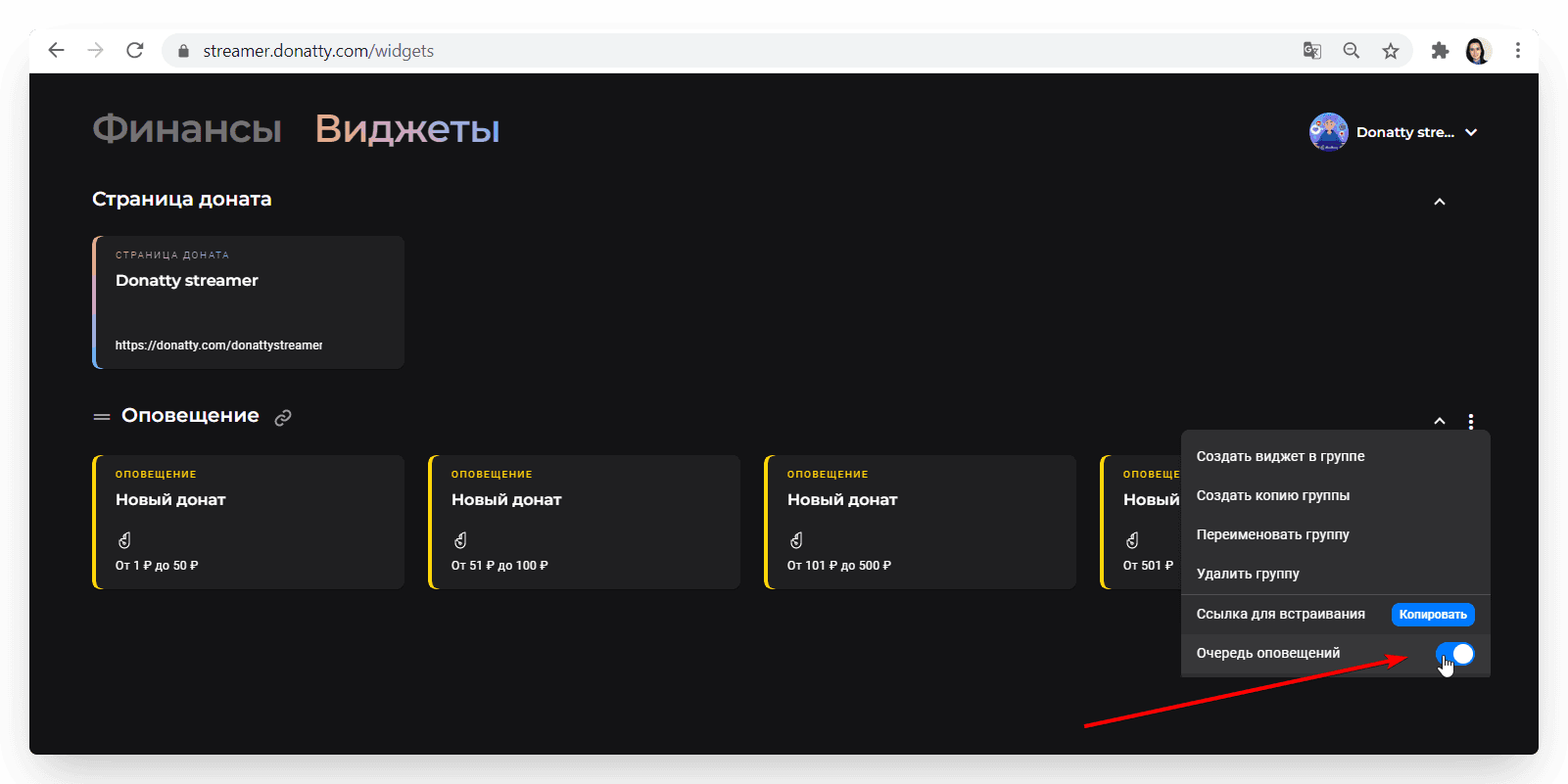
If you turn this setting off, every alert will appear on stream the moment the event happens.
Important: the alert queue can only be configured for an alert widget group. If you do not group your widgets and use a shared embed link, but instead add each widget to OBS with its own link, alerts will always be shown the moment the event happens.
Adding a widget group to your stream
Creating an alert widget group and configuring the widgets
