

How to connect Trovo notifications
Showing alerts for mana and elixir spells, follows, subscriptions, raids and gift subscriptions to the channel and to users
For streamers who use Trovo we provide the following event alert widgets:
Spells cast with mana and with elixir;
Follows;
Channel subscriptions;
Gift subscriptions;
Raids;
Connecting Trovo to Donatty;
Configuring the alert widgets;
Adding the widgets to your stream.
Connecting Trovo to Donatty
There are several ways to connect Trovo.
Connecting Trovo at registration
If you signed in to Donatty with Trovo, the default widgets have already been created for you in the streamer dashboard. You will find them on the Widgets tab.
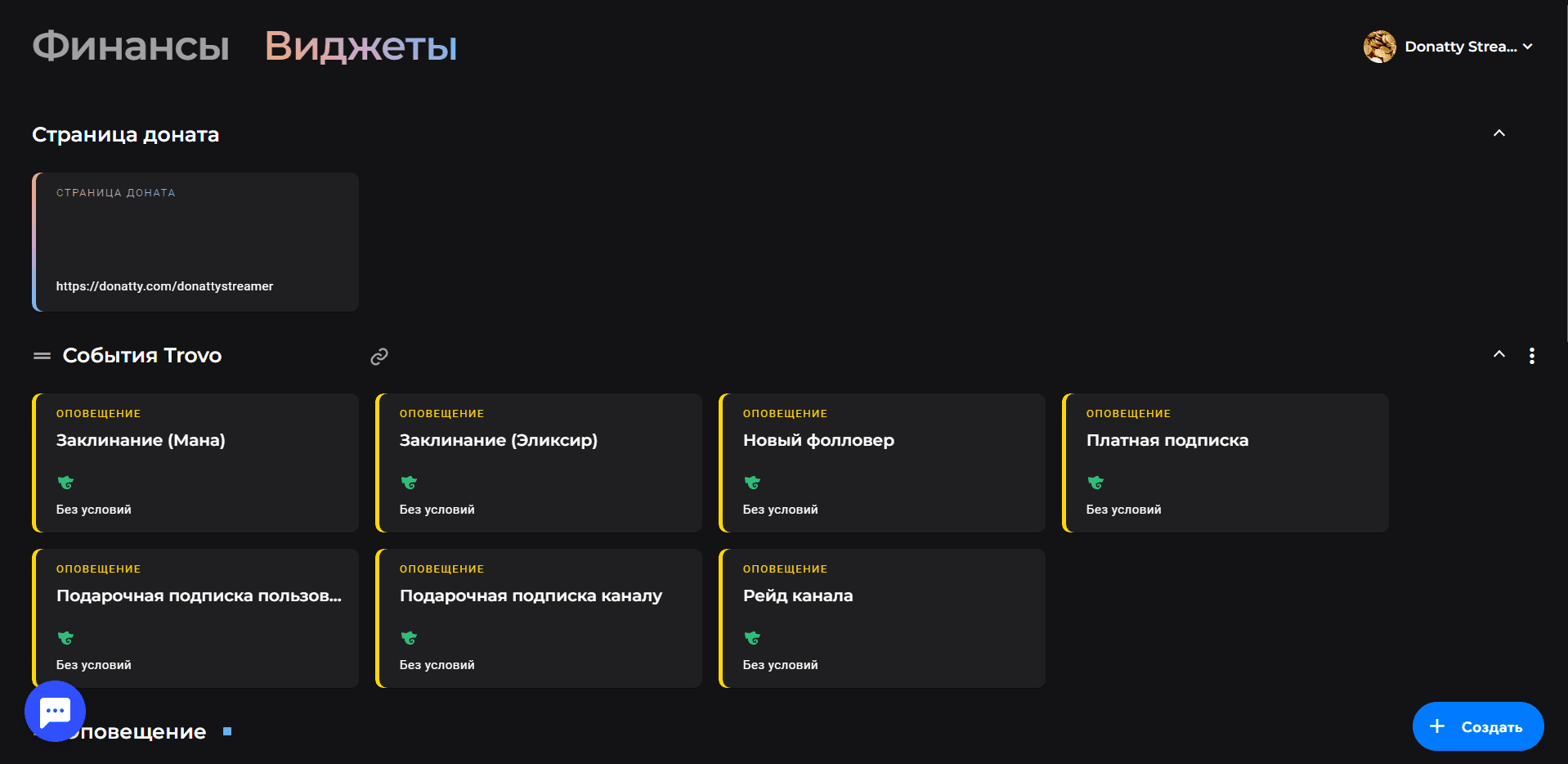
You can use the ready-made widgets or configure them your own way.
Connecting Trovo in your user settings
If you signed in to Donatty with another platform, you can connect your Trovo account in your user settings. To do that, open the settings by clicking your avatar in the top right corner and choosing Settings. Then, on the settings screen, click Link a new account.
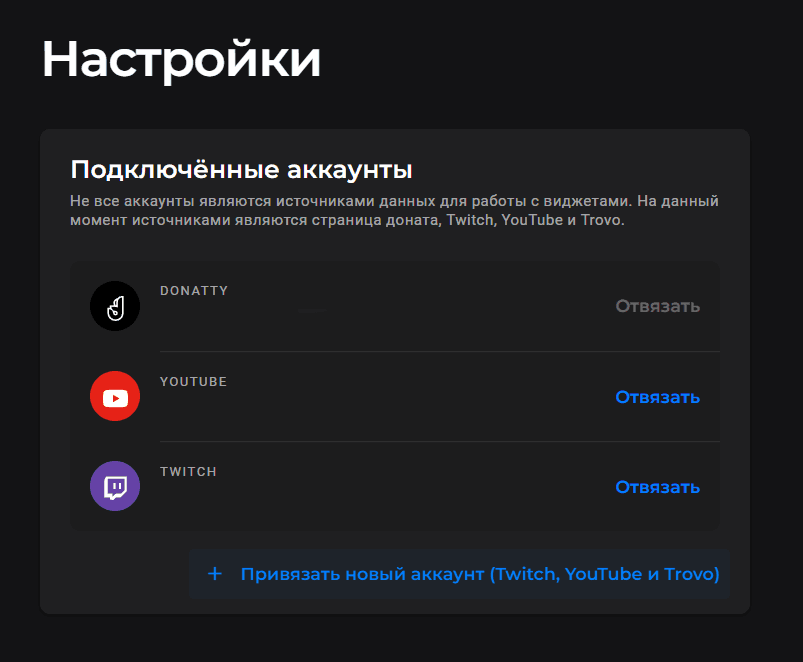
In the window that appears, choose Connect Trovo and enter your details on the account sign-in page. Once authorisation is complete, Trovo appears in the list of connected accounts.
Connecting Trovo in the Alert widget settings
Trovo can also be connected while configuring an Alert widget. To do that, click Connect a new source in the Data sources block.
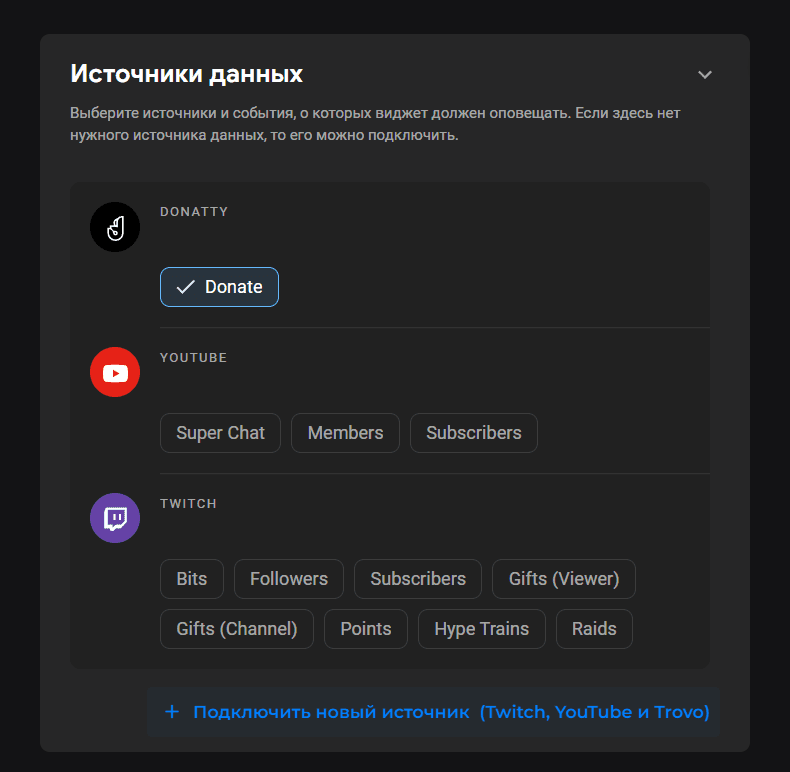
In the window that appears, choose Connect Trovo and enter your details on the account sign-in page. Once authorisation is complete, Trovo appears in the list of connected accounts.
Configuring the Trovo widgets
Once we have connected Trovo to Donatty, you will find the default widgets for Trovo events on the Widgets tab in the streamer dashboard. You can configure them, or delete them and create new ones. To configure a widget, click it. To delete a widget you have already created, click the three dots in its top right corner.
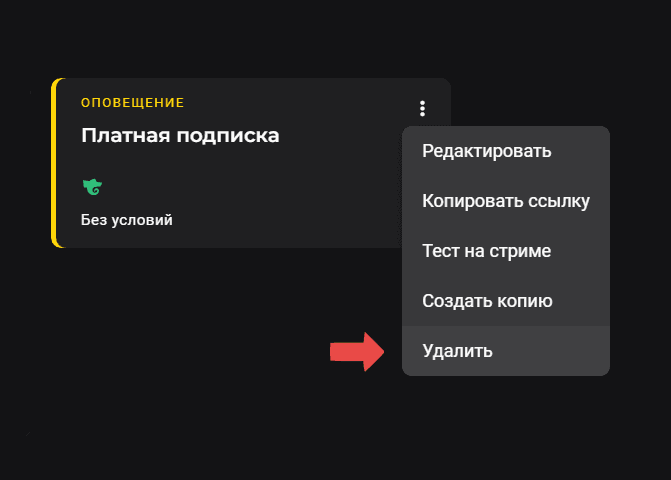
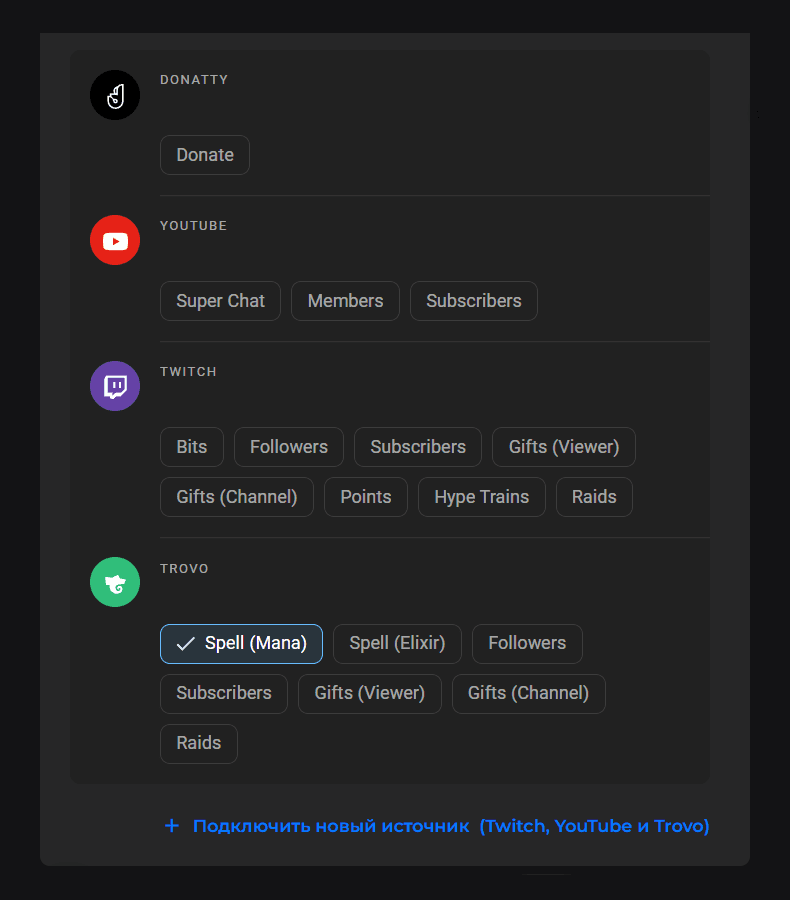
To create a new widget, click the Create button in the bottom right corner of the dashboard and choose the Alert widget type. When configuring the widget, remember to choose the data source type.
Adding Trovo event alerts to your stream
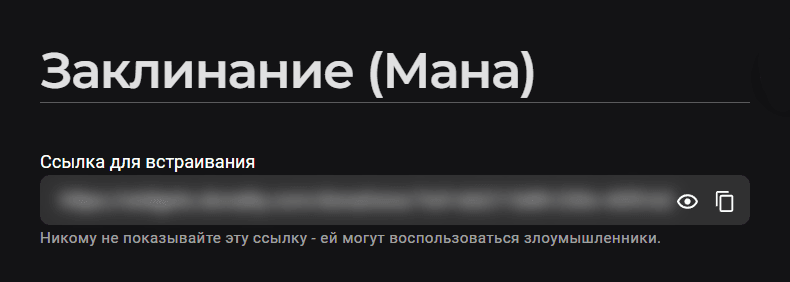
The process is the same as adding any other widget to your stream. Copy the widget link, which you will find at the top of the widget settings screen. To copy it, just click the button to the right of the link field.
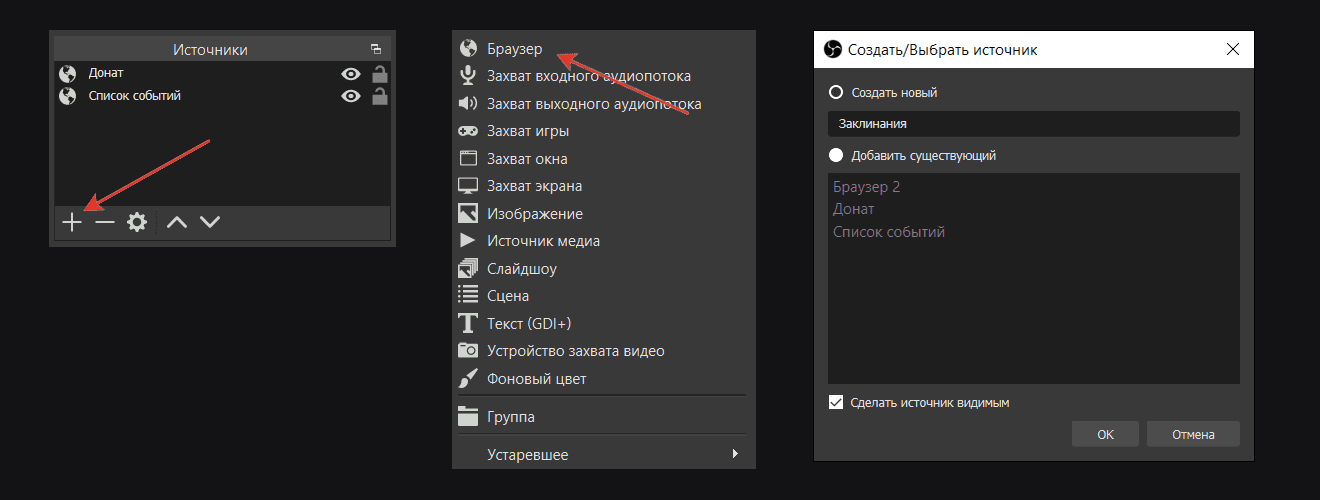
Then go to OBS, click Add in the Sources panel, choose Browser and enter a name for the source, for example “Spells”. In the dialog that appears, paste the link you copied earlier into the URL field and click OK.
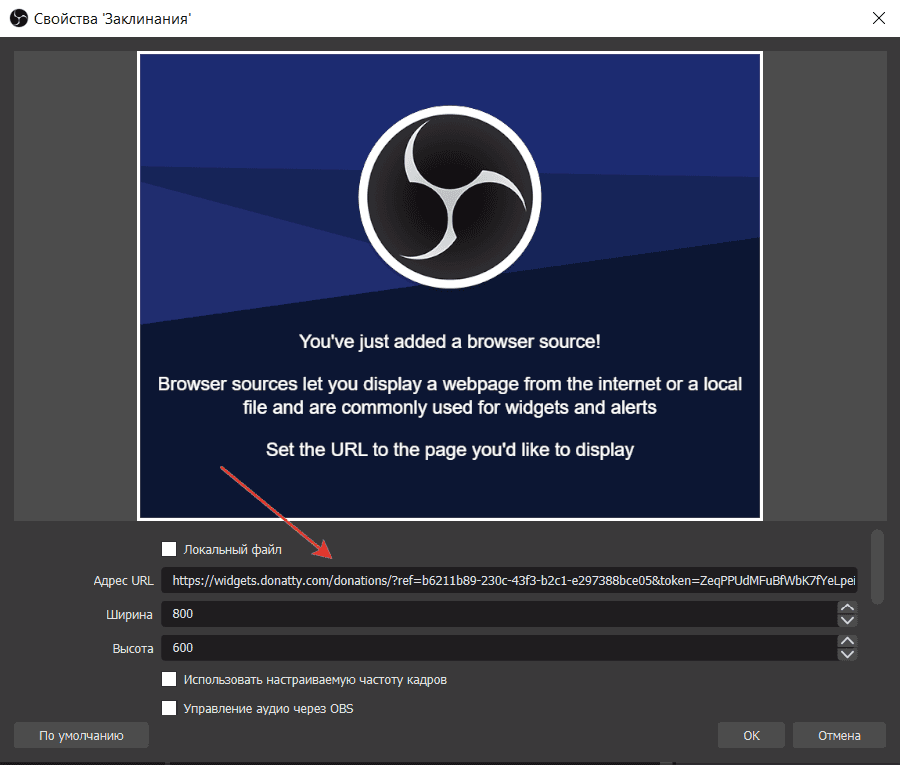
That completes adding the widget.
Checking that Trovo event alerts work on stream
There are several ways to test the alert:
Send a test to your stream from the dedicated block on the Finance page
Click the Test on stream button in the widget settings
Click Test on stream in the context menu of the widget card in the Widgets section
Setting up a donation alert on stream: amount conditions, custom text and GIFs, adding it to OBS
Setting up donation alerts with amount conditions
