

How to accept donations via PayPal
Enabling an alternative donation method: PayPal
Besides a bank card and an SBP QR code, on Donatty you can also enable donations via PayPal. This method is off by default, but you can turn it on in your donation page settings.
Turning on PayPal donations
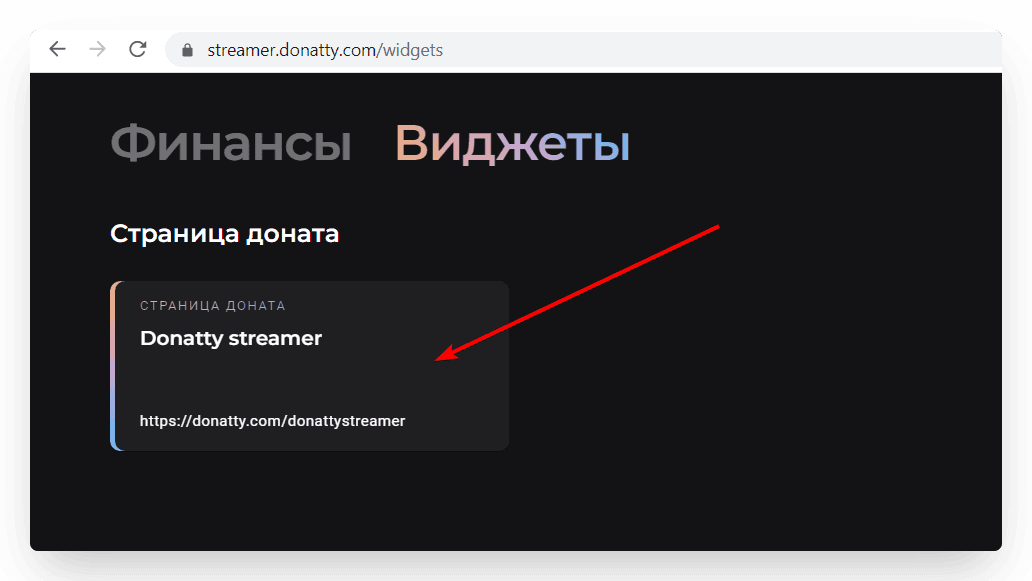
To enable the alternative donation methods, go to your donation page settings — in the Widgets section, click the Donation page card.
Important: you will only be able to activate the additional donation methods after completing identity verification (this is a requirement of Russian law).
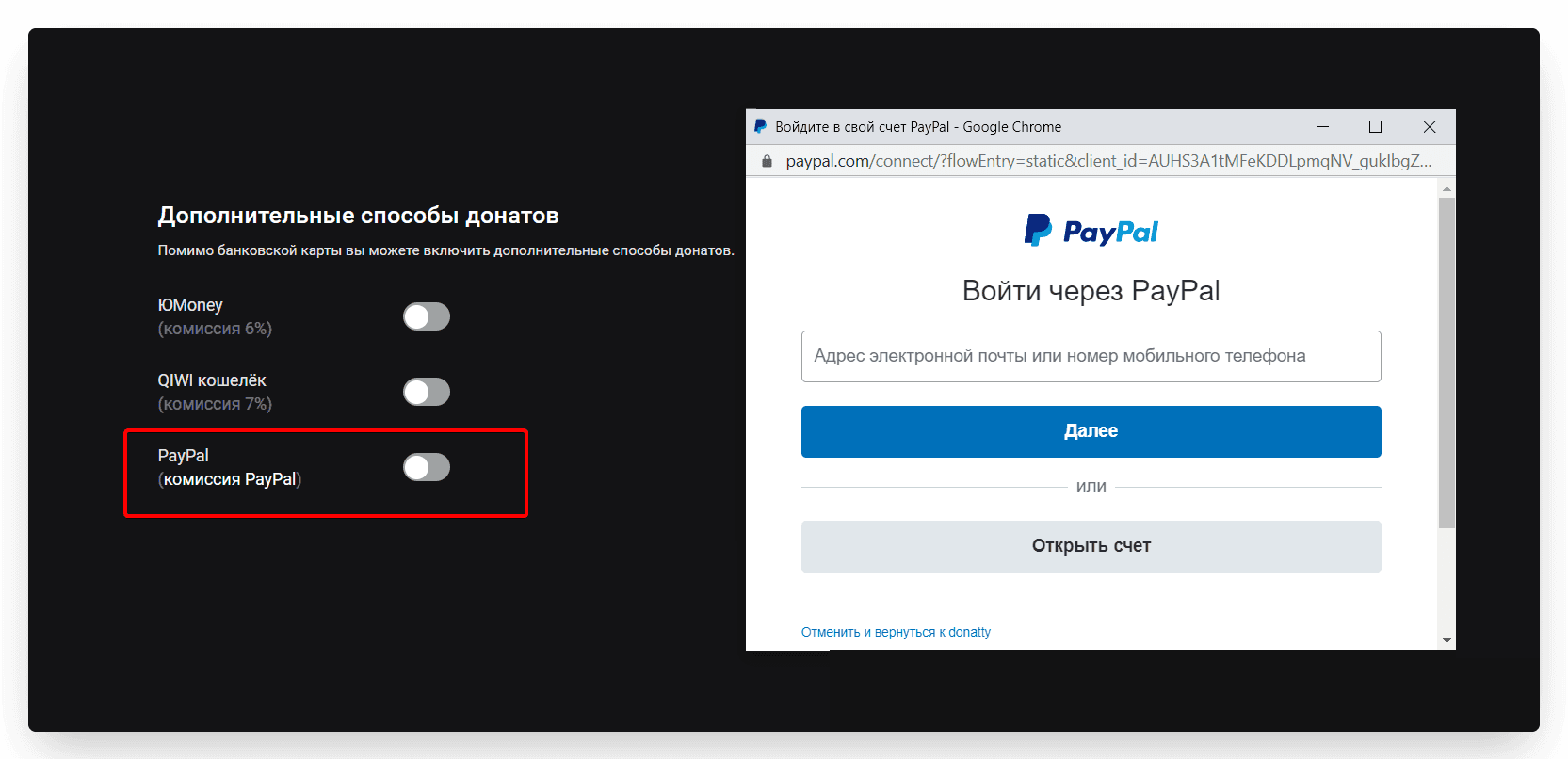
In the settings, find the Additional donation methods block. In that block, turn on the PayPal toggle. Then follow the instructions to receive payments directly into your PayPal account, as if the user had transferred the money to you personally.
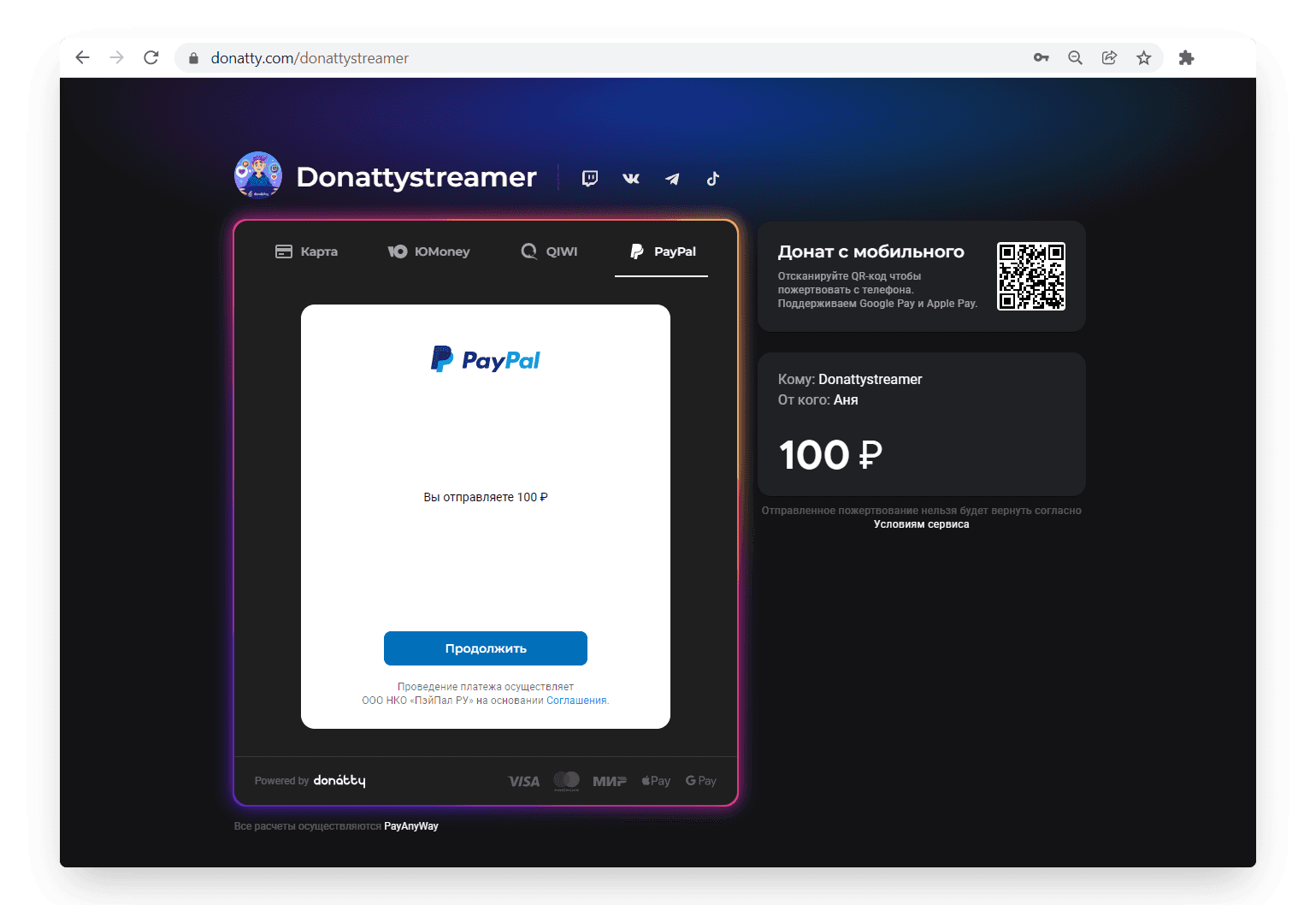
To check that everything is connected correctly, go to your own donation page. On the second step PayPal should appear as an additional payment method, as in the screenshot below.
How PayPal donations differ
PayPal donations go straight into your wallet in that system, bypassing your Donatty balance. That is why we charge no fee for this donation method;
PayPal has stopped handling transfers within Russia, so through this payment system you can only accept donations from other countries;
PayPal donations do not show up on your Donatty balance, but they are visible in the transaction list;
Because these donations bypass the Donatty balance, they do not appear in the statistics widgets or the fundraising widgets either — Donatty itself is the data source for those widgets.
Setting up your streamer page in Donatty: avatar, cover, URL and more
Setting up your streamer page in Donatty: writing the text of the welcome block
