

How to add a donation page link to your YouTube channel description
Placing your donation page link on YouTube so viewers cannot miss it
So that viewers can open your donation page and send you their contribution, you need to add a donation link to your YouTube channel description.
Copying the donation page link
First we need to copy the link. Go to the streamer dashboard, open the Widgets tab and click the donation page card.
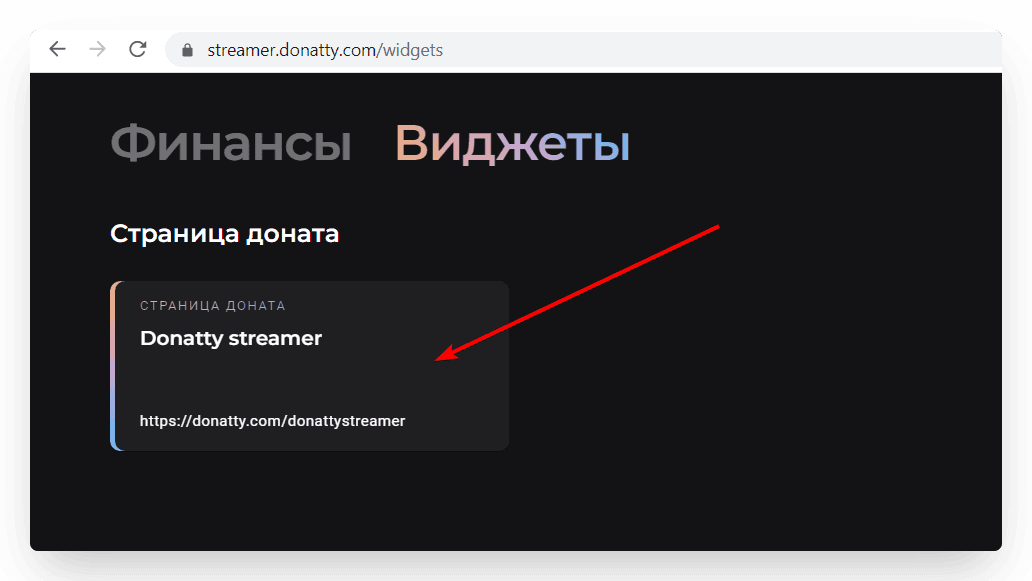
In the window that opens, copy the link to your donation page.
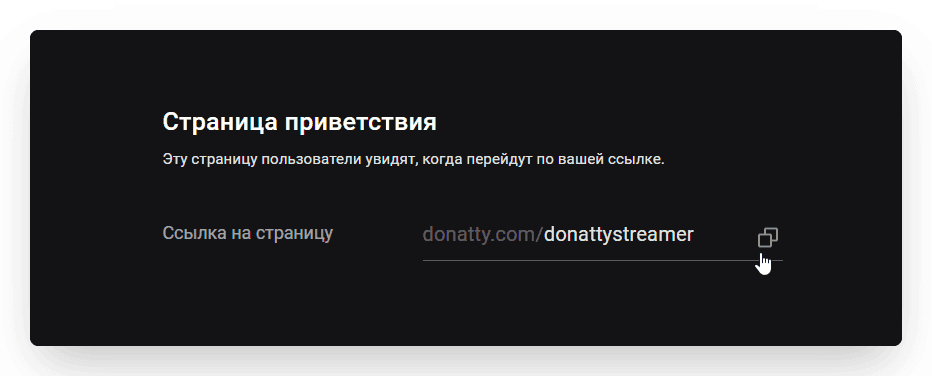
We hope that by the time you add the link to your channel description you have already read our guide on setting up the donation page and personalised it.
Editing the channel description
Go to YouTube and click your avatar in the top right corner, then choose YouTube Studio from the list that appears. To set up the donation page link, go to Channel settings and open the Basic info tab. Paste the link you copied into the Channel description and Links fields. You can name the link whatever you like — “Donatty”, “Donate”, “Support me” and so on.
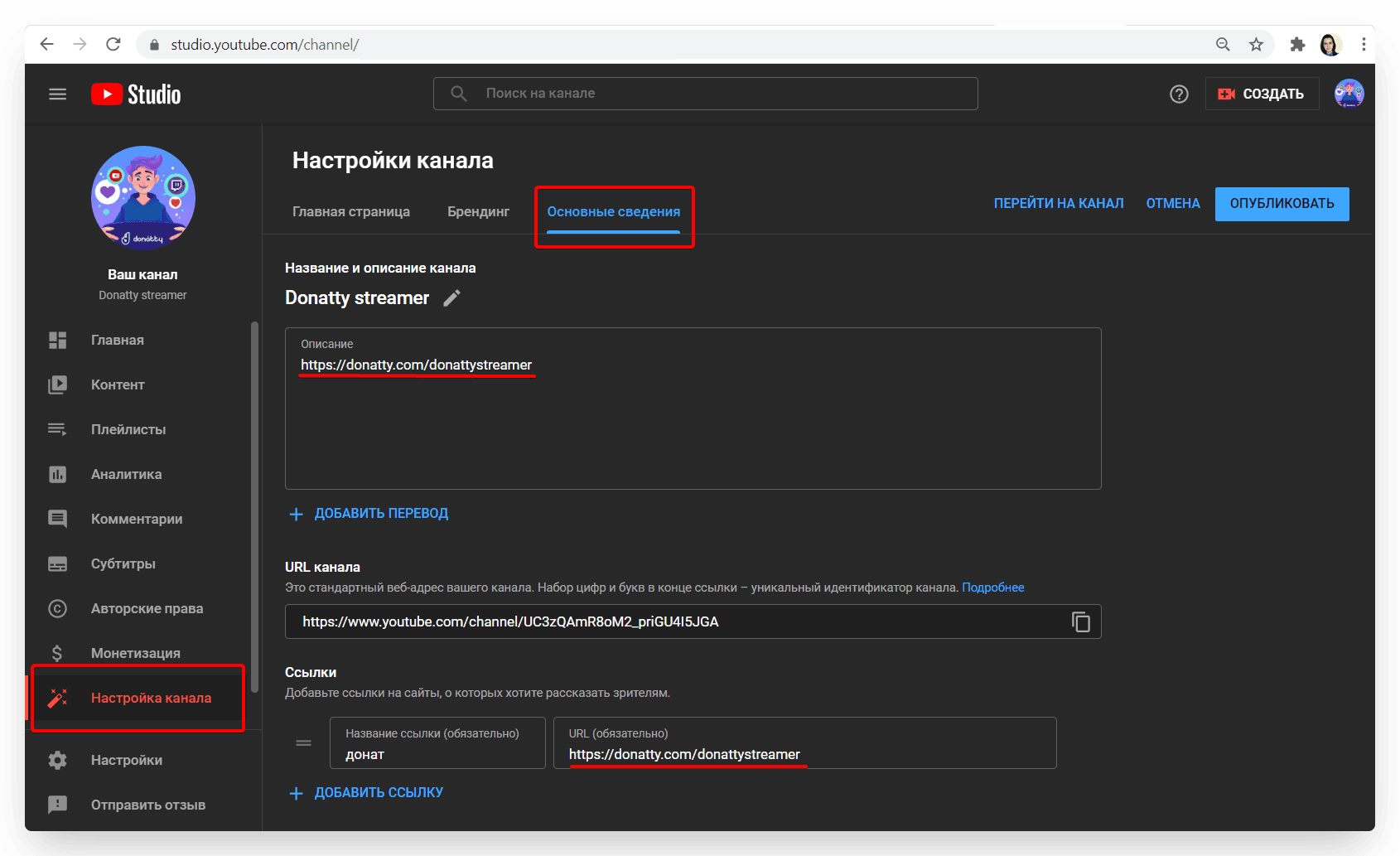
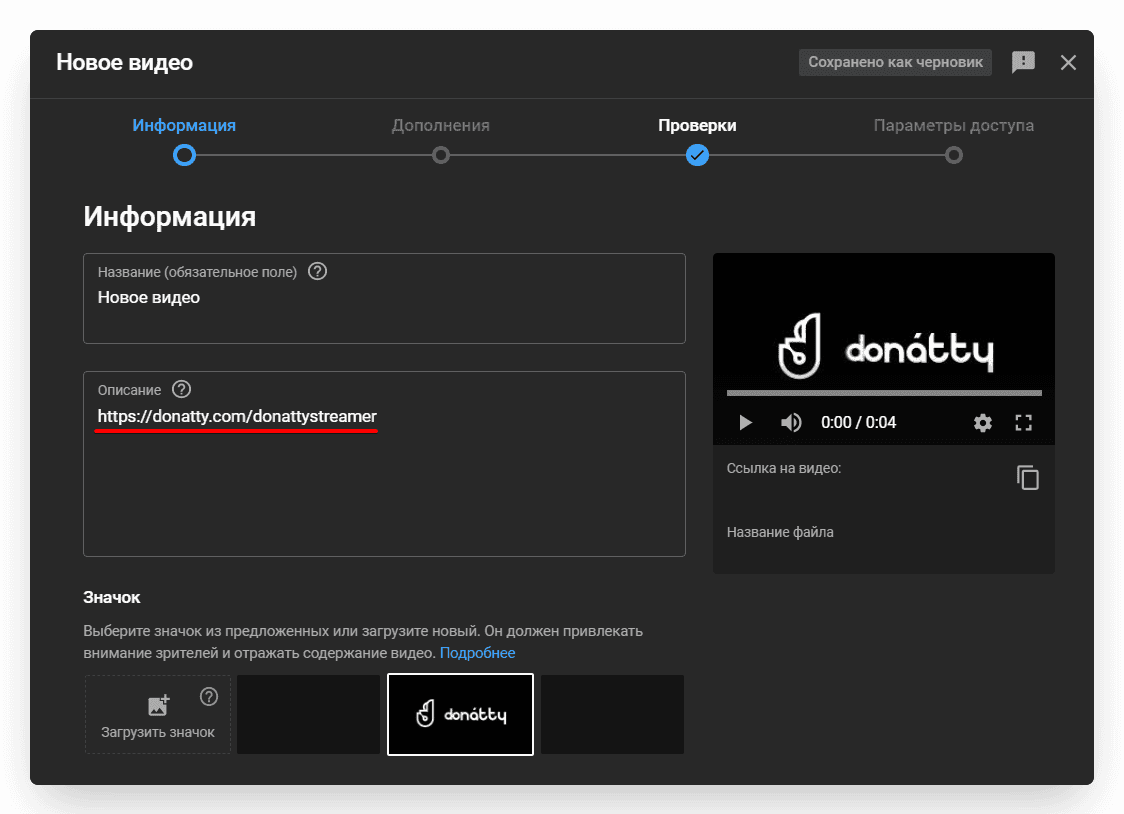
If you want the donation page link to appear on your channel's home page banner as well, take a look at the Links on banner settings block. We also recommend putting the donation page link in the description under every video and stream.
Setting up your streamer page in Donatty: avatar, cover, URL and more
Setting up your streamer page in Donatty: writing the text of the welcome block
