

How to add a donation page link to your TikTok profile
Placing your donation page link on TikTok from your phone
TikTok is a popular platform with a large audience. If you publish content there and want your followers to be able to support you, put a link to your donation page in your profile description.
Copying the donation page link
Open the streamer dashboard on your phone. Tap the Sign in button in the main menu on the Donatty site. Go to the Balance tab — the link to your donation page is there. You can edit it if you want it to match your nickname. Copy the link.
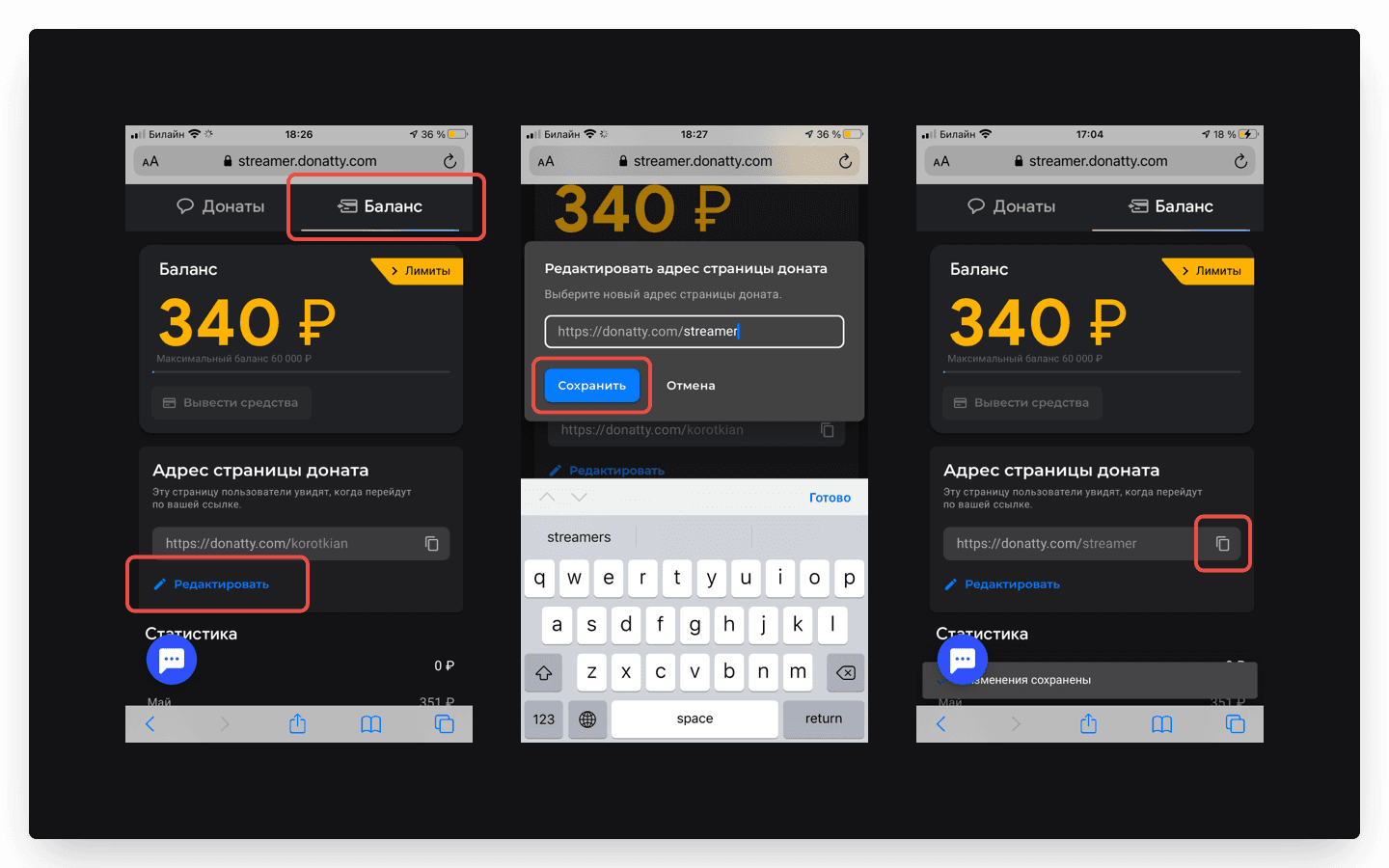
Editing your profile description
Open the TikTok app and go to your profile (tap Me in the bottom right corner). In the profile description, tap Edit profile and paste the copied link into the Website field.
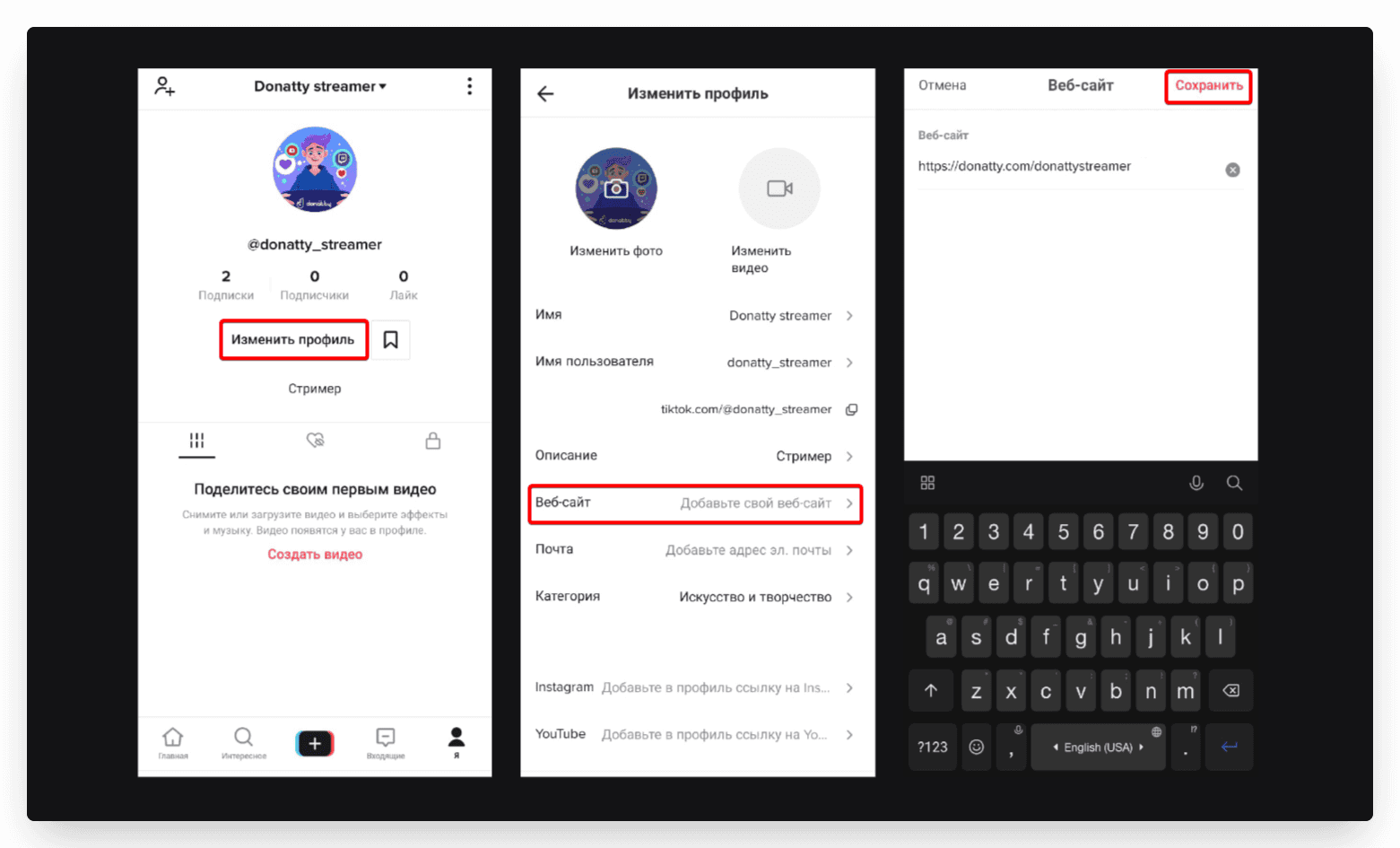
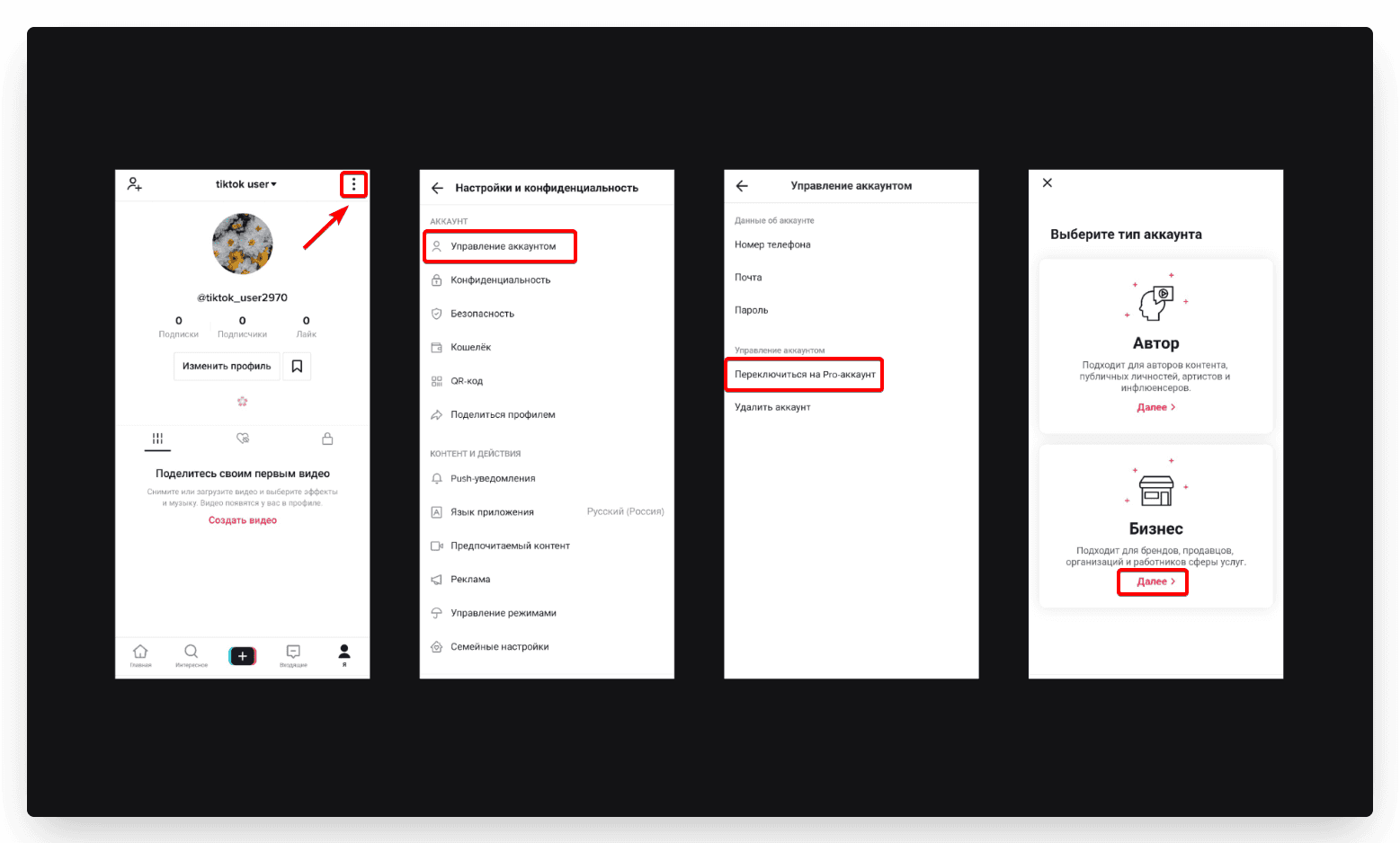
Important: TikTok has several account types: personal, creator and business. They differ in what they can do. The Website field is only available on business accounts. You can switch to a business profile in the settings: tap the menu in the top right corner, then Manage account.
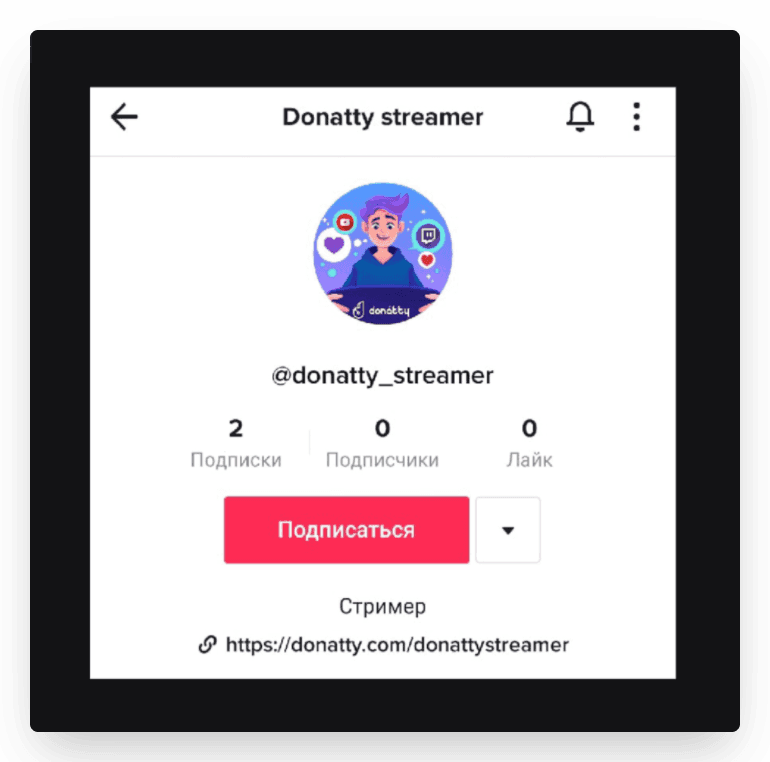
Your profile description now has a clickable link to your donation page.
The mobile version of the dashboard is still in development; to change any other settings, open the streamer dashboard on a computer.
Setting up your streamer page in Donatty: avatar, cover, URL and more
Setting up your streamer page in Donatty: writing the text of the welcome block
